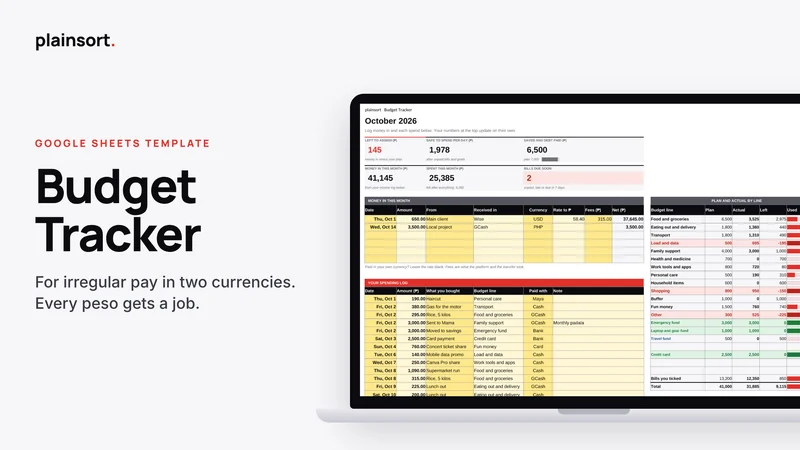
Budget Tracker
Made for Google Sheets
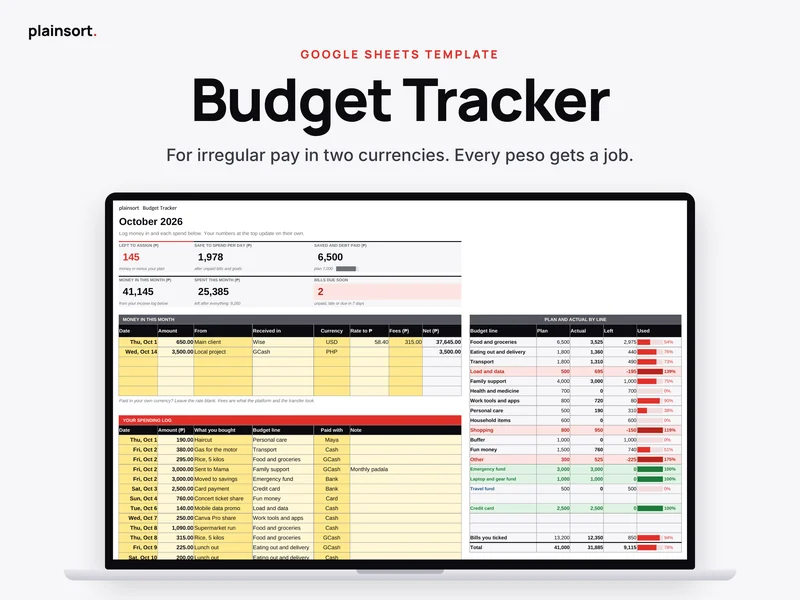
A Google Sheets budget for freelancers and VAs who get paid in one currency and spend in another. Give all your money a job, set savings aside first, and tick your bills once.
Get it for $3Checkout and delivery on Gumroad. You get a link that puts your own copy in your Google Drive.
- Works in the free Google Sheets app on your phone
- Needs only a free Google account
- No scripts, forms or add ons
- 14 day refund, no questions asked
Quick answer
Budget Tracker is a $3 Google Sheets template by Plainsort for virtual assistants, freelancers and solopreneurs. Give all your money a job, set savings aside first, and tick your bills once. It works on your phone in the free Google Sheets app.
Your pay is not the same every month. Your budget should know that.
This is a Google Sheets budget made for people with irregular pay. You log money in as it lands, in dollars, euros, pounds or your home currency. You give all your money a job. Then you see what is safe to spend each day.
Who it is for
- Freelancers and virtual assistants paid by foreign clients through Wise, PayPal or Payoneer
- Anyone whose income changes from month to month
- Students on an allowance who want a simple plan
- Families who want one shared view of bills and goals
- You, if you tried a budget before and gave up after two weeks because it took too long
What is inside
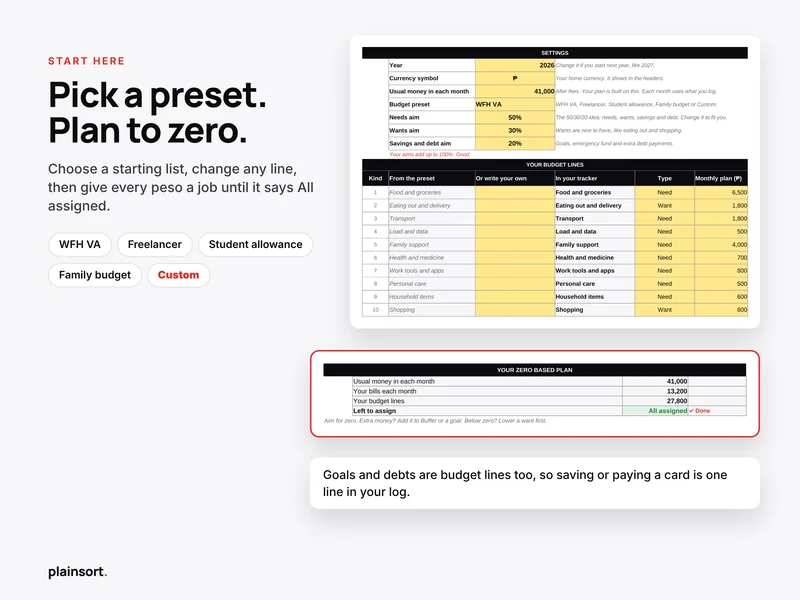
- Start Here tab. Four setup steps, your settings, your budget lines, your zero based plan and your monthly bills.
- Four presets. WFH VA, Freelancer, Student allowance and Family budget. Pick one and your list fills in. Or pick Custom and write your own.
- 12 month tabs. Your numbers sit on top. Your income log and spending log sit right under them.
- Plan and actual by line. See what you planned, what you spent and what is left for every line.
- Needs, wants, savings. See how your month compares with your own aims, like 50/30/20.
- Spent by week. A weekly aim, so a new week is a fresh start.
- Year tab. Every month at a glance, with charts.
- Goals tab. Up to four savings goals and three debts, with progress bars and how much you need each month.
- Fix it box. Quick answers for the most common problems, right inside the file.
How it works on your phone
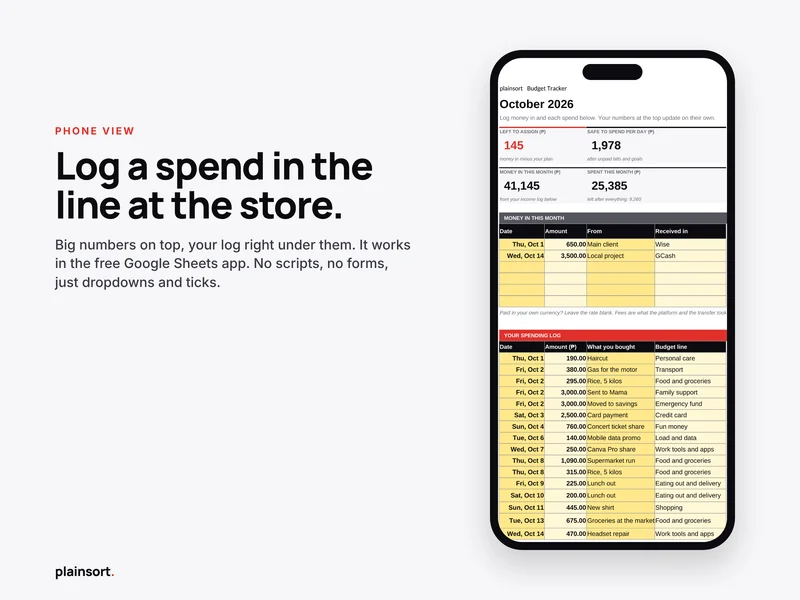
Open the free Google Sheets app. Go to this month's tab. Type the date, the amount, what you bought and pick a budget line. That is one line. The numbers at the top update on their own.
There are no scripts, no forms and no buttons, so nothing breaks on a phone. You only use dropdowns and ticks. The setup is easier on a laptop, but daily logging is made for your phone.
What makes it different
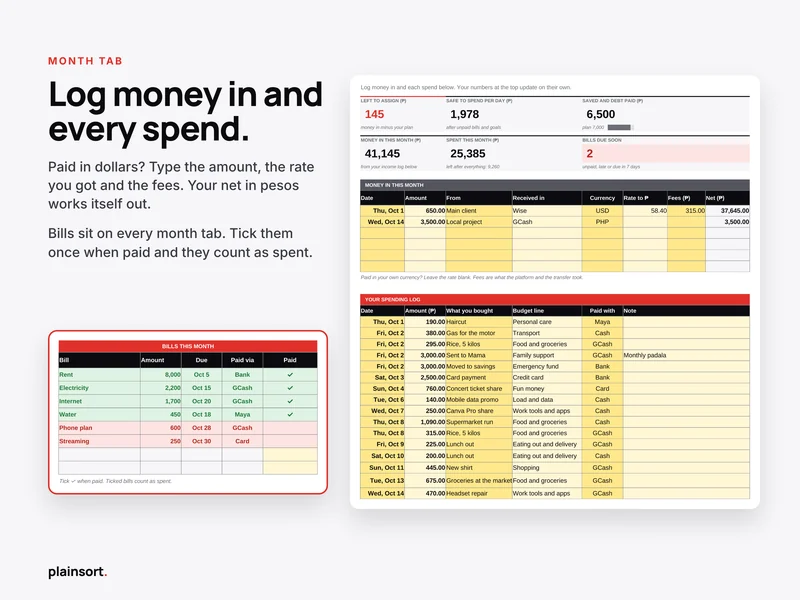
Two currencies and irregular freelance pay. Paid in dollars? Type the amount, the rate you got and the fees. Your net in your home currency works itself out. Paid in your home currency? Leave the rate blank. Each month uses the money you actually logged, not a guess.
Zero based plan. Your usual money in, minus your bills, minus your budget lines. Keep going until Left to assign says All assigned. Extra money goes to Buffer or a goal. Below zero? Lower a want first.
Set aside first. Savings goals and debts are budget lines too. Moving money to your emergency fund or paying your card is one line in your log. Safe to spend per day is worked out after unpaid bills and goals, so your savings are not spent by accident.
Bills you tick once. Type your bills once on Start Here. They show on every month tab with their due date. Tick them when paid and they count as spent, so you never log them twice. Unpaid bills due within three days turn red, and the top of the tab shows what is due in the next seven days.
What you get
- One Google Sheet with 15 tabs: Start Here, January to December, Year and Goals
- 20 budget lines: 10 of your own, plus Buffer, Fun money, Other, 4 savings goals and 3 debts
- Space for 8 monthly bills, 6 income entries and 100 spends each month
- Your home currency symbol: peso, dollar, euro, pound or Australian dollar
- Income in PHP, USD, AUD, EUR or GBP, with rate and fees
- Accounts ready to pick, like Cash, Card, Bank, PayPal, Wise and Payoneer
- A copy link that puts your own copy in your Google Drive
- Email support from a real person
Questions people ask
Does it work in Excel?
It is made for Google Sheets and tested there. You can download your copy as an Excel file from the File menu, and the numbers still work. Some colours, charts or dropdowns may look different in Excel, so we only promise full support in Google Sheets.
Can I use it on my phone?
Yes. Daily logging works in the free Google Sheets app. To make your copy, open the copy link in your phone browser, not the app, because the app hides the Make a copy option.
What currency does it use?
You pick your home currency symbol on Start Here: peso, dollar, euro, pound or Australian dollar. In the income log you can record money in PHP, USD, AUD, EUR or GBP. Add the rate you got and the fees, and the sheet shows your net in your home currency.
Do I need a Google account?
Yes. A free Google account is enough.
Can I start in the middle of the year?
Yes. Start on this month's tab. Empty months stay blank and do not count in your year totals.
Is my money data private?
Your copy lives in your own Google Drive. We cannot see it.
What if it is not for me?
You get a full refund within 14 days. No questions asked. Just reply to your receipt or email us.
How do I get help?
Email [email protected]. We reply within 24 hours.
$3 · Made for Google Sheets · Works on your phone
You might also like
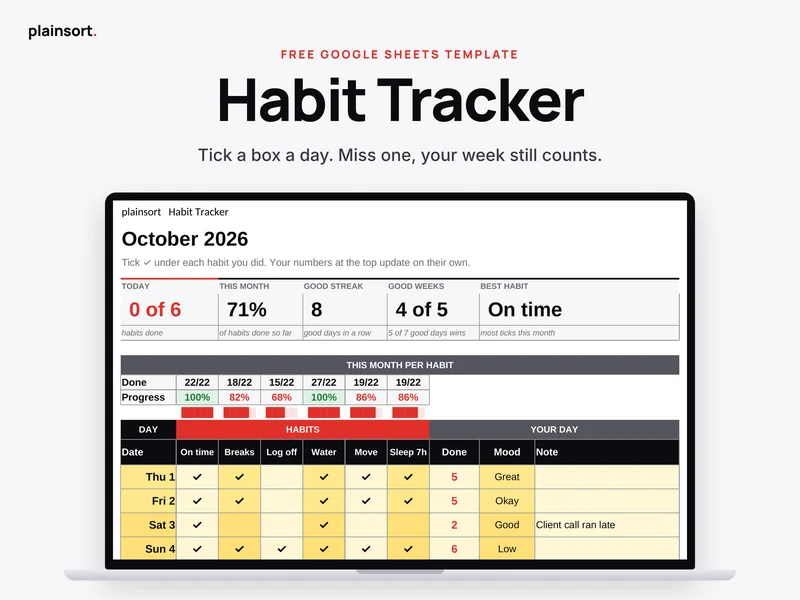 HabitsHabit Tracker
A free Google Sheets habit tracker for your phone. Tick six habits a day. A good week still counts if you miss a day.
Made for Google SheetsFree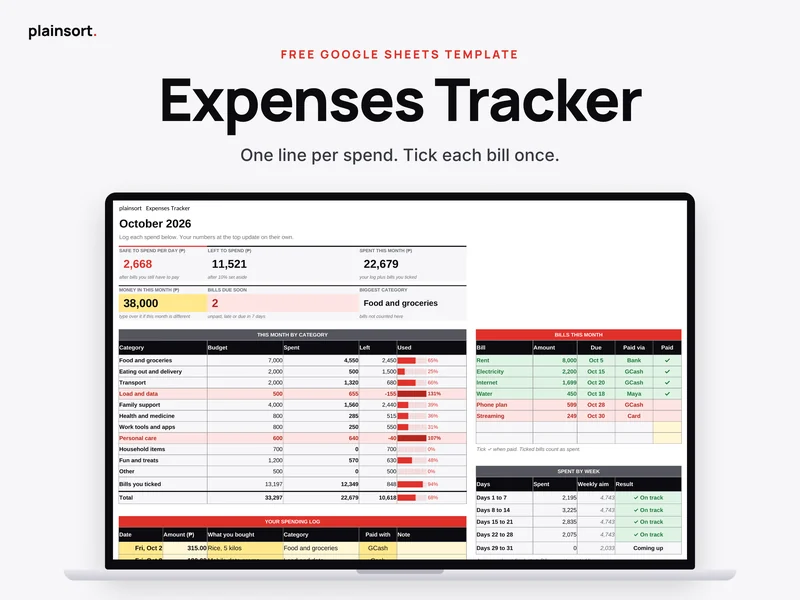 MoneyExpenses Tracker
A free Google Sheets expense tracker. Log each spend in one line, tick bills once, and see what you can still spend.
Made for Google SheetsFree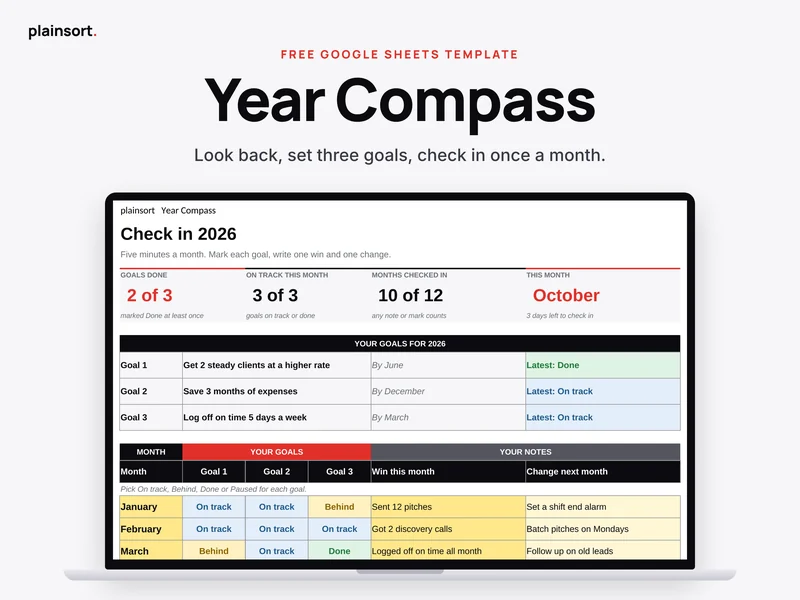 PlanningYear Compass
A free Google Sheets year review. Look back, set three goals and check in for five minutes a month.
Made for Google SheetsFree